Build your English, one word at a time
PFEnglishBuddy is a free, browser-based English-learning companion focused on making everyday language study more structured and accessible. It brings vocabulary lookup, grammar reference, verb forms and practice tools together in one interface, so learners can move between understanding a rule and applying it.
The current learning hub focuses on A1–B1 material, with a responsive layout for desktop and mobile. It is a personal portfolio learning project, available without an account or advertisements.
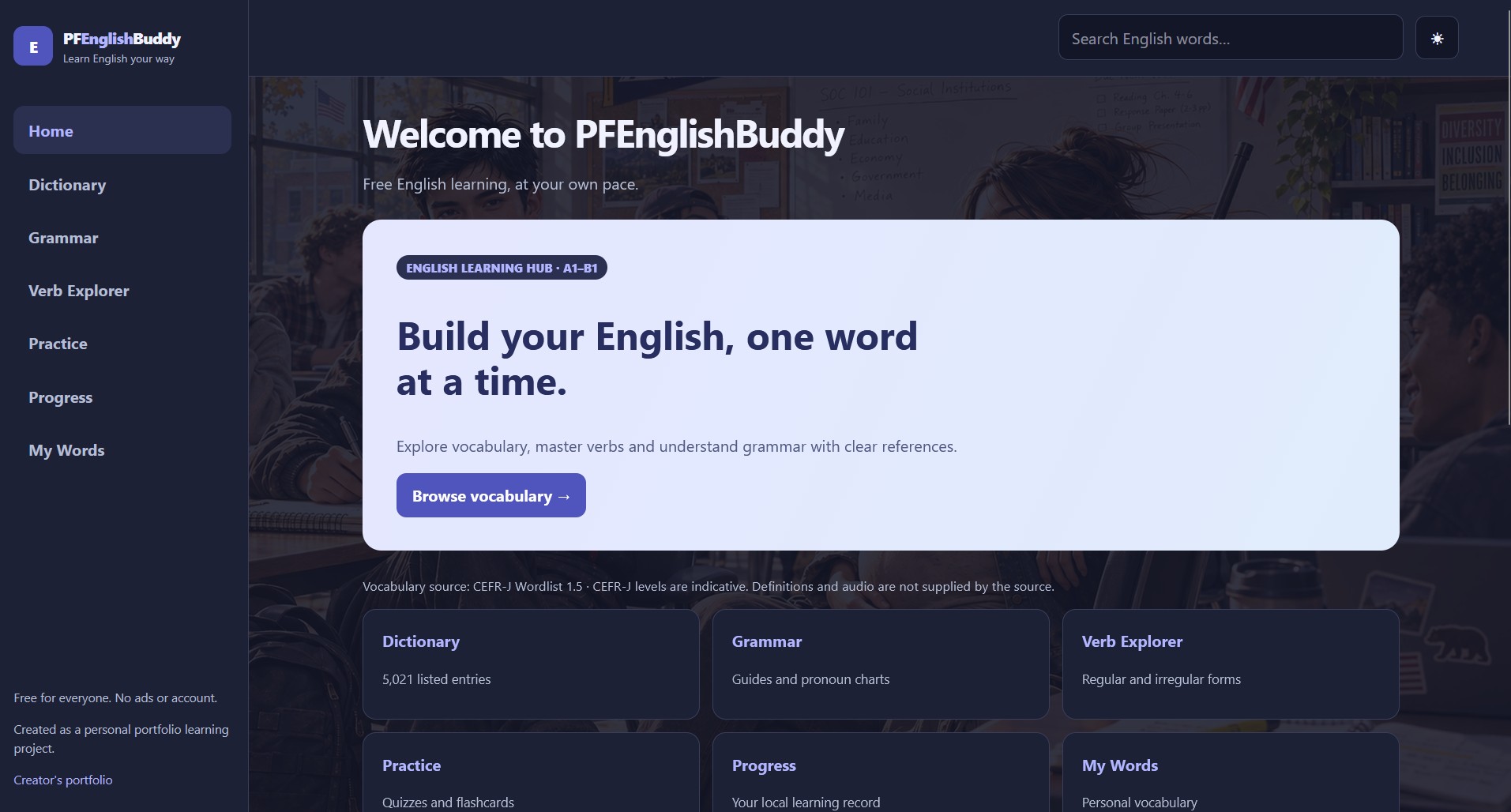
What makes PFEnglishBuddy useful?
Searchable English dictionary — vocabulary by level and word type
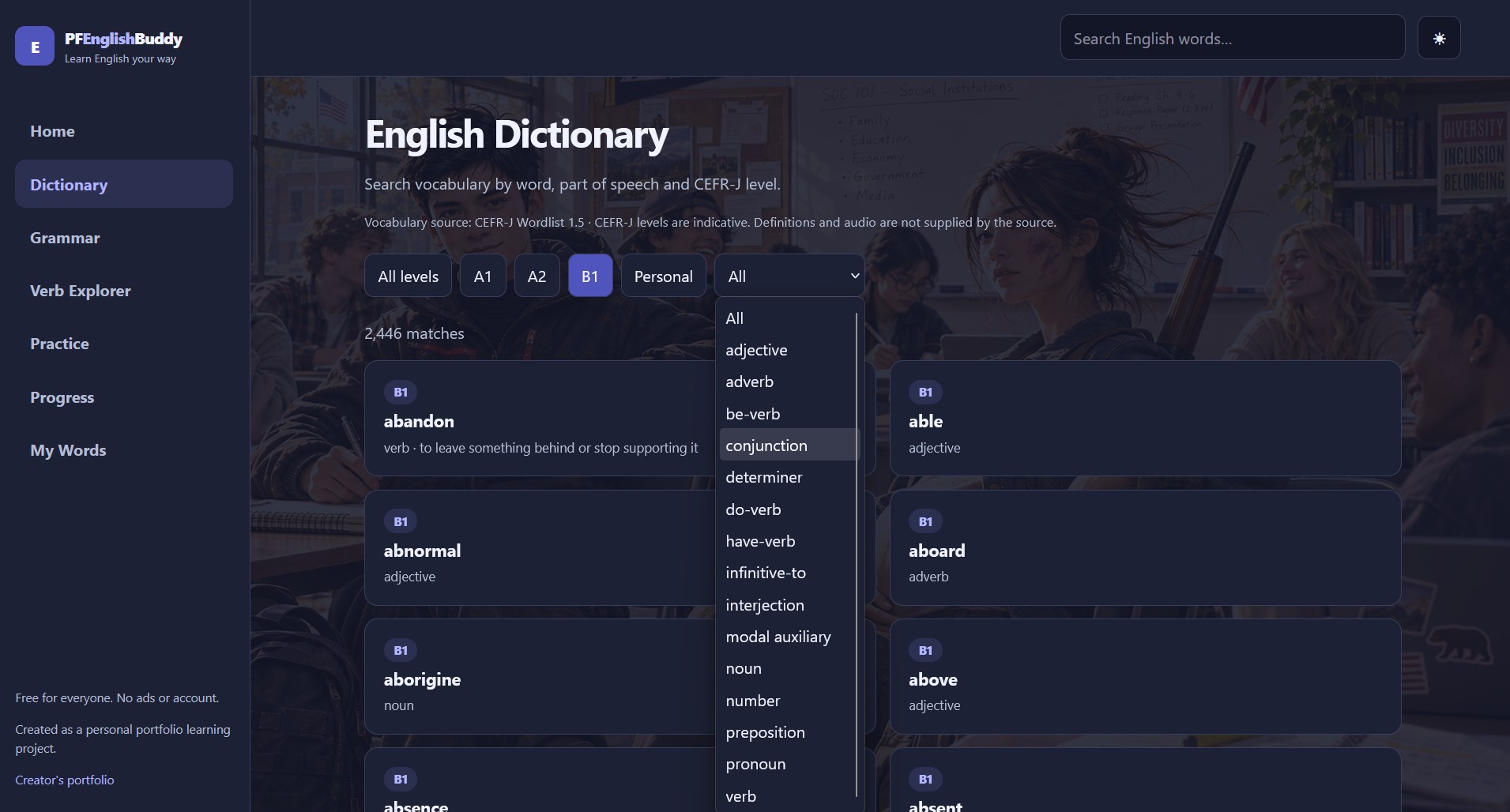
The English Dictionary supports word search and browsing by level and part of speech. Learners can narrow the vocabulary list using A1, A2 and B1 filters, as well as a Personal selection, and filter by categories such as nouns, verbs, adjectives, adverbs and other word types.
Dictionary entries combine the word, its grammatical category, an explanation where available, and a level label. The home dashboard shown here displays 5,021 listed entries at the time of capture; the total can change as the vocabulary evolves.
The vocabulary collection identifies CEFR-J Wordlist 1.5 as its source. Its level classifications are indicative, and the source itself does not provide definitions or audio. This distinction is shown in the application rather than presenting those resources as source-provided content.
Verb Explorer — compare tenses and conjugations in one view
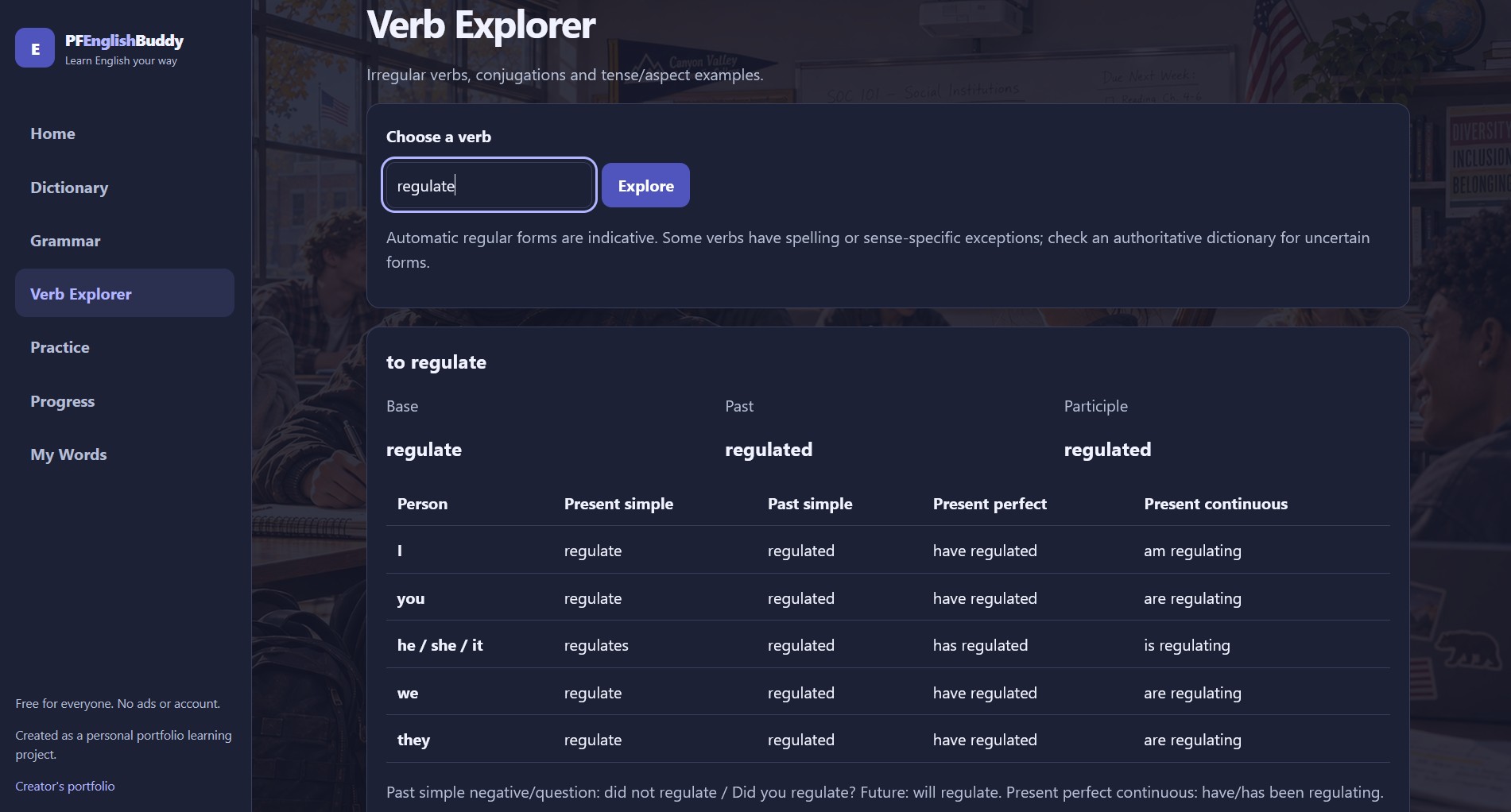
The Verb Explorer lets learners enter a verb and examine its forms. The interface covers regular and irregular verbs, showing base form, past form and past participle, alongside person-by-person examples across present simple, past simple, present perfect and present continuous.
The example also explains related constructions such as past-tense questions and negatives, future forms, and present perfect continuous. This makes it easier to compare how one verb behaves in different sentence patterns.
Automatically generated regular forms are identified as indicative, with a note that spelling and usage exceptions may require checking an authoritative dictionary.
Grammar — quick reference when rules become confusing
The Grammar section provides learning guides and pronoun charts. Its purpose is to make common English structures easier to consult without leaving the app or interrupting vocabulary study.
Practice — quizzes and flashcards
The Practice area is organized around quizzes and flashcards. These provide a way to reinforce vocabulary and grammar through recall, rather than relying exclusively on reading reference material.
My Words and Progress — a more personal learning workflow
My Words provides a dedicated area for personal vocabulary, while Progress is presented as a local learning record. These sections are designed to support repeated study and give learners a place to return to their own learning material.
Design and product approach
PFEnglishBuddy builds on the learning-product approach established with PFDeutschBuddy, but adapts it to the structure of English. Rather than copying German-specific declension exercises, it emphasizes vocabulary discovery, verb forms, tense comparisons, grammar references and practice.
The experience prioritizes quick navigation between modules, readable examples, accessible search, and a consistent interface across devices. A dark/light theme toggle and compact navigation are part of the application design.
Current development
PFEnglishBuddy is a free public learning tool under active development. The current interface includes the dictionary, grammar, Verb Explorer, Practice, Progress and My Words areas. The learning content and exercise coverage can be expanded as the product is tested and refined.
This case study will be updated with additional screenshots and examples as the application evolves.
Screenshots document the application at a particular development stage; functionality and presentation may change.